so i made a game named so i made a game named Subway Surfer
here i will post all the code
import pygame

pygame.init()

# Constants
WIDTH, HEIGHT = 800, 400
GROUND_HEIGHT = 100
FPS = 60

# Colors
WHITE = (255, 255, 255)
BLACK = (0, 0, 0)
RED = (255, 0, 0)
BLUE = (0, 100, 255)
GREEN = (50, 180, 50)

# Create the game window
screen = pygame.display.set_mode((WIDTH, HEIGHT))
pygame.display.set_caption("Subway Surfers")
clock = pygame.time.Clock()
font = pygame.font.Font(None, 36)

# Player rectangle
player_width, player_height = 40, 60
player_x = WIDTH // 2
player_y = HEIGHT - GROUND_HEIGHT - player_height
player_speed = 5

# Jump settings
player_jump = False
jump_velocity = 0
GRAVITY = 1
JUMP_STRENGTH = 15

# Obstacle rectangle
obstacle_width, obstacle_height = 40, 50
obstacle_x = WIDTH
obstacle_y = HEIGHT - GROUND_HEIGHT - obstacle_height
obstacle_speed = 3

score = 0
running = True

while running:
    for event in pygame.event.get():
        if event.type == pygame.QUIT:
            running = False

        if event.type == pygame.KEYDOWN:
            if event.key == pygame.K_SPACE and not player_jump:
                player_jump = True
                jump_velocity = -JUMP_STRENGTH

    # Move player left and right
    keys = pygame.key.get_pressed()
    if keys[pygame.K_LEFT]:
        player_x -= player_speed
    if keys[pygame.K_RIGHT]:
        player_x += player_speed

    # Keep player inside the window
    player_x = max(0, min(player_x, WIDTH - player_width))

    # Update jump
    if player_jump:
        player_y += jump_velocity
        jump_velocity += GRAVITY

        if player_y >= HEIGHT - GROUND_HEIGHT - player_height:
            player_y = HEIGHT - GROUND_HEIGHT - player_height
            player_jump = False
            jump_velocity = 0

    # Move obstacle
    obstacle_x -= obstacle_speed

    # Reset obstacle and increase score when it leaves the screen
    if obstacle_x < -obstacle_width:
        obstacle_x = WIDTH
        score += 1

    # Check for collision
    player_rect = pygame.Rect(player_x, player_y, player_width, player_height)
    obstacle_rect = pygame.Rect(
        obstacle_x, obstacle_y, obstacle_width, obstacle_height
    )

    if player_rect.colliderect(obstacle_rect):
        running = False
        continue

    # Draw the scene
    screen.fill(WHITE)
    pygame.draw.rect(
        screen, GREEN, (0, HEIGHT - GROUND_HEIGHT, WIDTH, GROUND_HEIGHT)
    )
    pygame.draw.rect(screen, BLUE, player_rect)
    pygame.draw.rect(screen, RED, obstacle_rect)

    score_text = font.render(f"Score: {score}", True, BLACK)
    screen.blit(score_text, (10, 10))

    pygame.display.flip()
    clock.tick(FPS)

# Show game-over screen
screen.fill(WHITE)
game_over_font = pygame.font.Font(None, 72)
game_over_text = game_over_font.render("Game over", True, RED)
screen.blit(
    game_over_text,
    game_over_text.get_rect(center=(WIDTH // 2, HEIGHT // 2))
)
pygame.display.flip()

pygame.time.delay(2000)
pygame.quit()
and down here you can see how it looks like
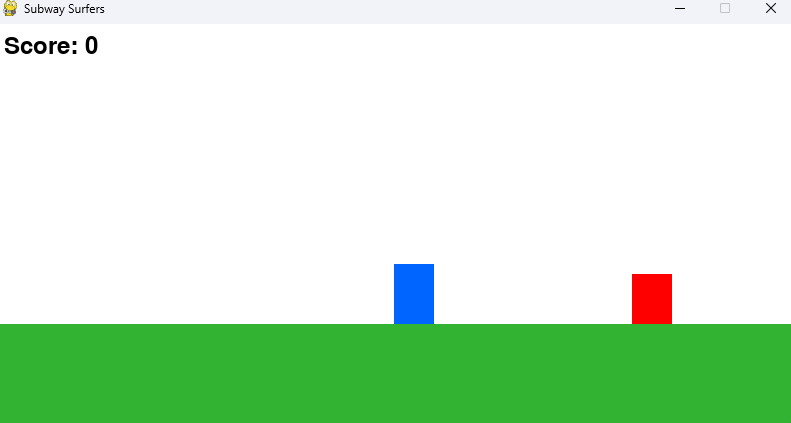
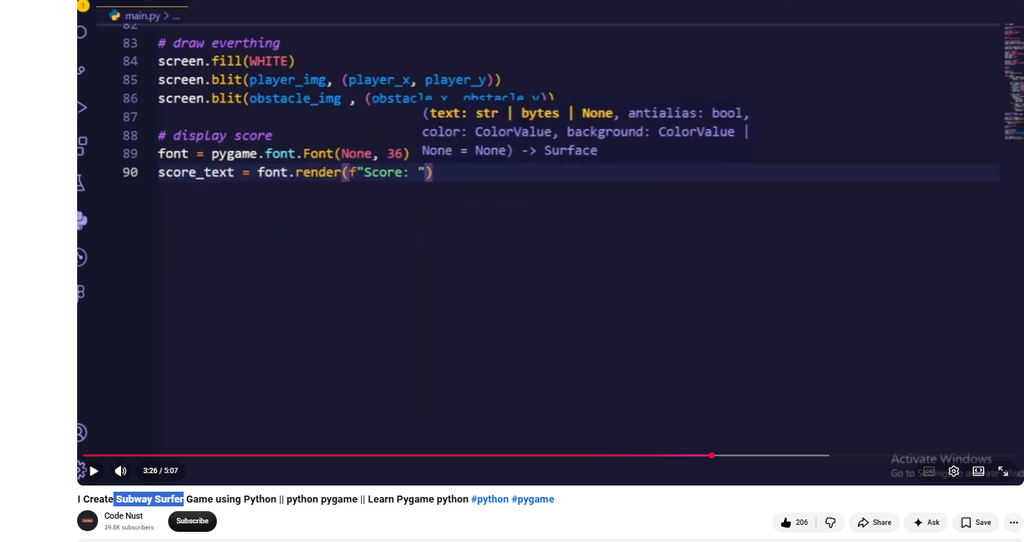
I did the code from youtube
hope you like it