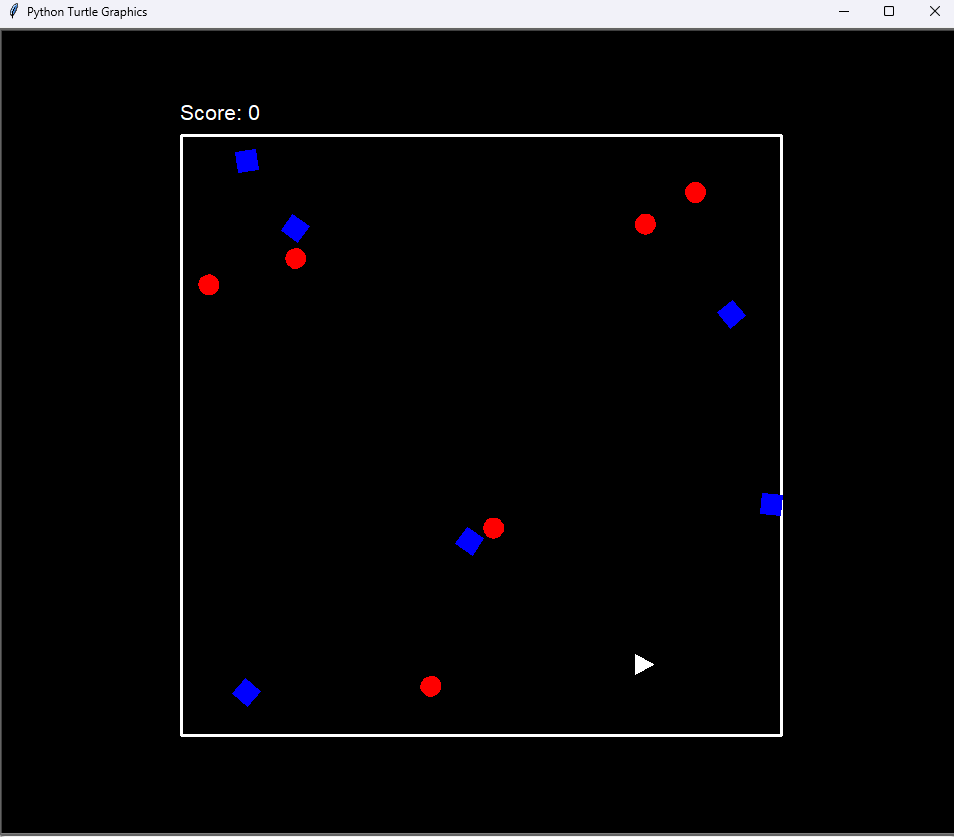
Today I made some major upgrades to my Space war game built with Python turtle module. The game now feels much more alive thanks to the addition of sound effects, a scoring system, and a group of enemies and allies moving around the screen at once..
Sprite Class
The Sprite class is still the base for every moving object in the game. It creates a turtle based sprite, sets its color and starting position, and handles movement and boundary checks. The collision method is simple but works well for this style of game. Every other class builds on this one.
Player Class
The player ship inherits from Sprite and adds turning, acceleration, and a faster movement speed. The player starts in the center of the screen and can move freely within the border of the game. Since scoring is now part of the game, the player’s interactions with enemies and allies matter more than they did before.
Enemy Class
Enemies also inherit from Sprite but move faster and start with a random heading. Instead of a single enemy, the game now spawns a group of them. Each one moves independently.
Ally Class
Allies behave similarly to enemies but turn in the opposite direction when they hit a boundary. Like the enemies, there are now more than one ally on screen at once. Accidentally hitting an ally with a missile lowers the score, so the player has to be careful when firing.
Missile Class
The missile starts off screen and stays hidden until the player fires it. When fired, it plays a laser sound and moves forward in the direction the player is facing. If it hits an enemy or ally, an explosion sound plays and the missile resets. If it leaves the play area, it resets.
Game Class
The Game class now handles score tracking in addition to drawing the border and storing the game state. The score is displayed at the top of the screen and updates immediately whenever something happens. Hitting an enemy increases the score. Colliding with an enemy or hitting an ally decreases it.
Main Game Loop
The main loop updates the player, missile, enemies, and allies every frame. It checks for collisions and reacts accordingly.
Leave a Reply