
Alien Invasion 10/03/25

I worked on my project of alien invasion by first making the background and the color.
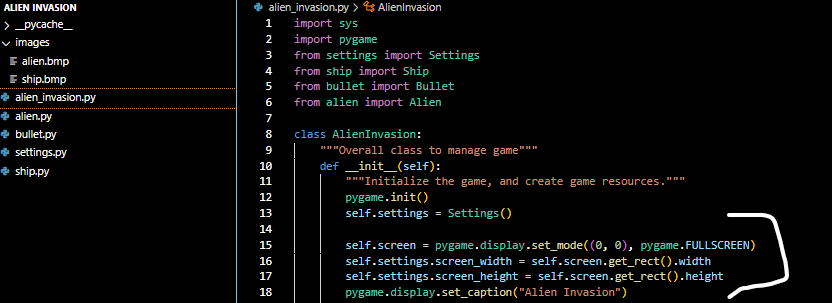
The [ pygame.display ] displays the window that is Customizable with the Height and how tall it is, important when we need to start the Invasion.
The sys and pygame modules already the has tools that we need helping us not do more work. Like the exit inside the sys module that helps the player exit out
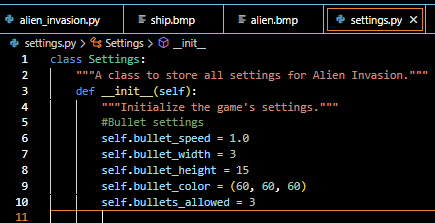
I created the setting module that stores all the value in one place allowing us to access the settings at any time making it easier to change the game’s apereance and the values.
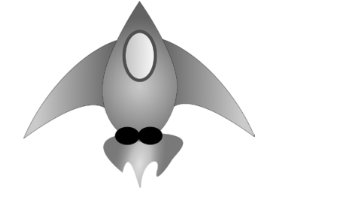
This is the ship image i’ll be putting on the screen
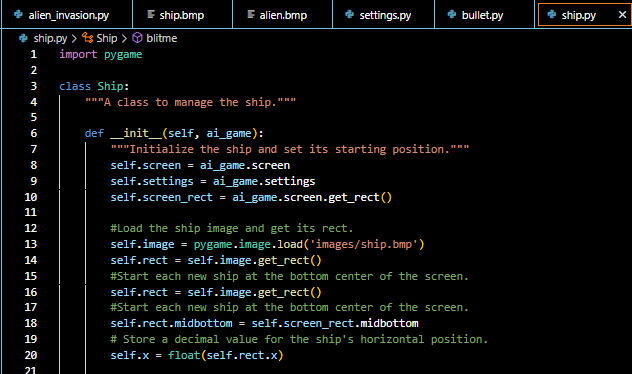
pygame.image.load helps to import the picture from the images folder to the window screen. Using the get_rect() to assign it to self.screen_rect allows us to correctly place the ship on the screen.
Attributes like midbottom, midtop, midleft and midright helps to just use the x and y attributes instead of manually having to do the calculation
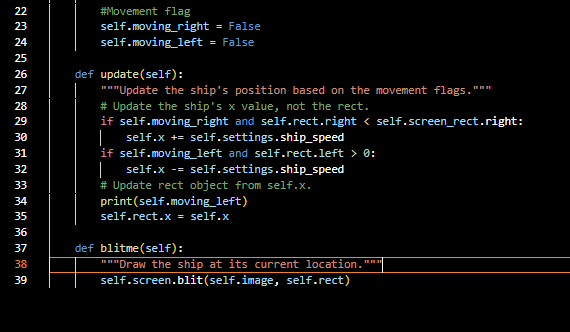
if statements inside the update function manages the ship movements in the direction left and right
The blitme function draws the image at the specific point helped by the self.rect
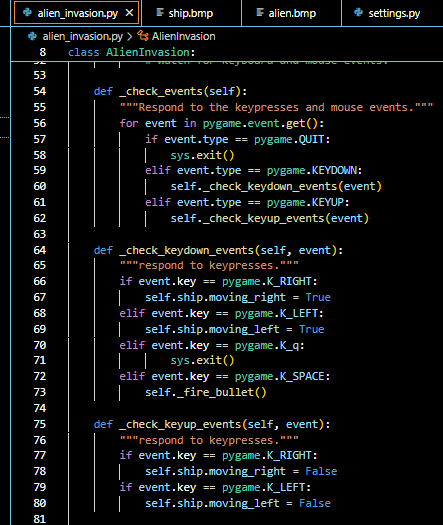
Check events checks for what kind of event we want and each keypresses are in KEYDOWN event. WE need to check if the key was pressed that triggers the action.
Like if the right arrow was pressed then the ship moves right increasing the value of self.ship.rect represented by the pygame.K_RIGHT
The pygame.KEYUP looks for whether the key pressed down is released or not so the ship stops moving if the key is released.
[ its short because i had to do this twice and lost all my progress ]
Leave a Reply