
Currently Working on a pixel art website from last free friday:
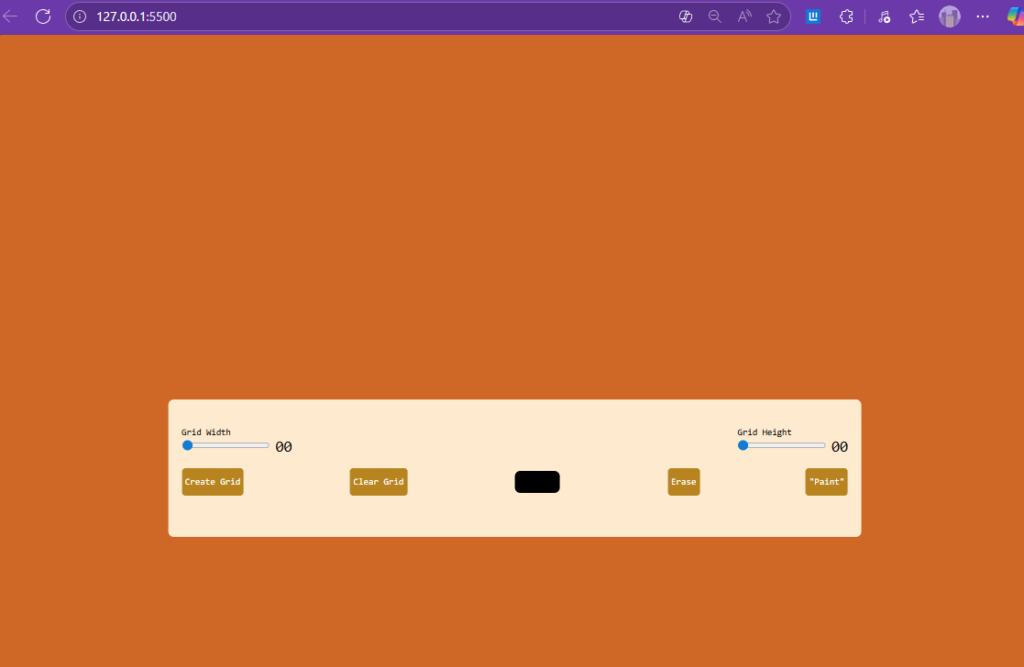
So far this is all I have- used ASMR Programming – 100 Days of JavaScript Coding – No Talking to do this.
Style.css:
*{
    padding: 0;
    margin: 0;
    box-sizing: border-box;
    font-family: monospace;
}

body{
    background-color: chocolate;
}

.wrapper{
    background-color: blanchedalmond;
    width: 80vmin;
    position: absolute;
    transform: translate(-50%, -50%);
    top: 50%;
    left: 50%;
    padding: 40px 20px;
    border-radius: 8px;
}

label{
    display: block;
}

span{
    position: relative;
    font-size: 22px;
    bottom: -1px;
}

.opt-wrapper{
    display: flex;
    justify-content: space-between;
    margin-bottom: 20px;
    gap: 10px;
}

button{
    background-color: darkgoldenrod;
    border: none;
    border-radius: 5px;
    padding: 5px;
    color: #fff;
}

input[type="color"]{
    -webkit-appearance: none;
    -moz-appearance: none;
    appearance: none;
    background-color: transparent;
    width: 70px;
    height: 40px;
    border: none;
    cursor: pointer;
}

input[type="color"]::-webkit-color-swatch{
    border-radius: 8px;
    border: 4px solid black;
}
input[type="color"]::-moz-color-swatch{
    border-radius: 8px;
    border: 4px solid black;
}

.gridCol{
    height: 1em;
    width: 1em;
    border: 1px soldid #ddd;
}

.gridrow{
    display: flex;
}

@media only screen and (max-width:768px){
    .gridCol{
        height: 0.8em;
        width: 0.8em;
    }
}
index.html:
<!DOCTYPE html>
<html lang="en">
<head>
    <meta charset="UTF-8">
    <meta http-equiv="X-UA-Compatible" content="IE=edge">
    <meta name="viewport" content="width=device-width, initial-scale=1.0">
    <link rel="stylesheet" href="style.css">
    <title>Pexil Art generator</title>
</head>

<body>


    <div class="wrapper">
    <div class="options">
        <div class="opt-wrapper">
        <div class="slider">
            <label for="width-range">Grid Width</label>
            <input type="range" id="width-range" min="1" max="1">
            <span id="width-value">00</span>
        </div>
                <div class="slider">
                    <label for="height-range">Grid Height</label>
                    <input type="range" id="height-range" min="1" max="1">
                    <span id="height-value">00</span>
                </div>
            </div>

                <div class="opt-wrapper">
                    <button id="submit-grid">Create Grid</button>
                    <button id="clear-grid">Clear Grid</button>
                    <input type="color" id="color-input">
                    <button id="erase-btn">Erase</button>
                    <button id="pa-btn">"Paint"</button>
                </div>
        </div>
        <div class="container"></div>
    </div>


    <script src="index.js"></script>
</body>
</html>
that html really only sets things up for the css and js to work on everything else.
Js: to be honest I have no idea what most of these do, im guessing that “let” is like “def” in python
(not complete)
let container = document.querySelector(".container");
let gridButton = document.getElementById("submit-grid");
let clearGridButton = document.getElementById("clear-grid");
let gridWidth = document.getElementById("width-range");
let gridHeight = document.getElementById("height-range");
let colorButton = document.getElementById("color-input");
let eraseBtn = document.getElementById("erase-btn");
let paintBtn = document.getElementById("paint-btn");
let widthValue = document.getElementById("width-value");
let heightValue = document.getElementById("height-value");

let events = {
    mouse: {
        down: "mousedown",
        move: "mousemove",
        up: "mouseup"
    },
    touch:{
        down:"touchstart",
        move: "touchmove",
        up: "touchend",
    },
};

let deviceType = "";

let draw = false;
let erase = false;

const isTouchDevice = () =>{
    try{
        document.createEvent("TouchEvent");
        deviceType = "touch"
        return true;
    } catch(e) {
        devideType = "mouse";
        return false;
    }
};

isTouchDevice();
I may work on it again next Friday to finalize it, or just pick a different project to work on.