
I’ve worked on the Assignment for making a website. the plan is to make three pages, one where people can rank whatever pictures they have, one where they can view my own rankings, and one that will mostly be just the “Popular” ranking, I’ll get there later
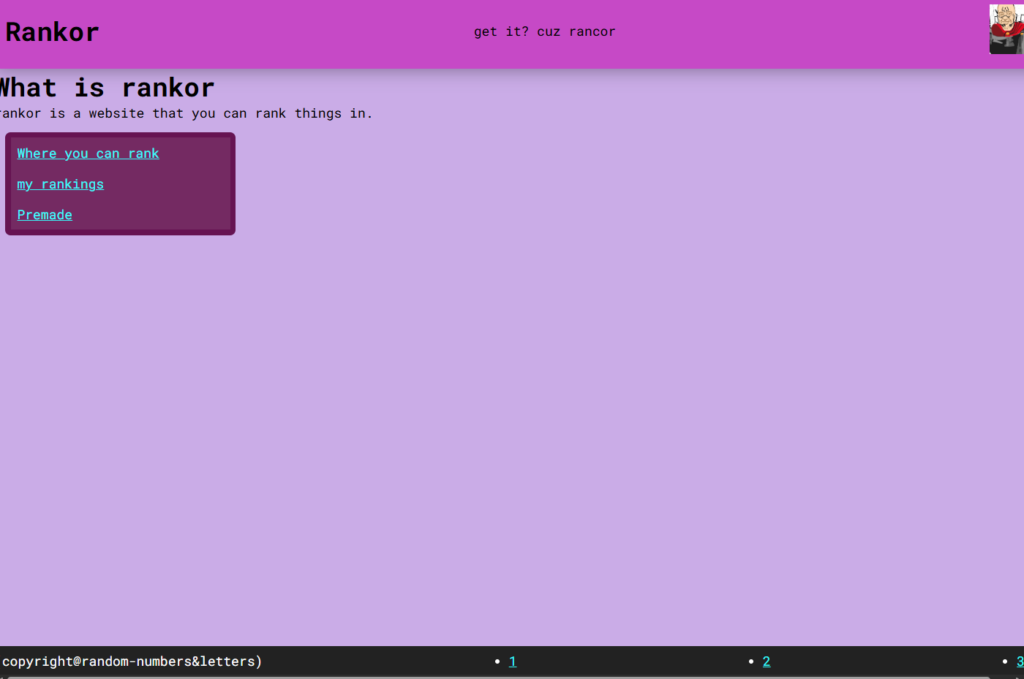
So far, I have the buttons, all working. a footer with a random copyright because I see it a lot. That’s just for Index.html, the main page
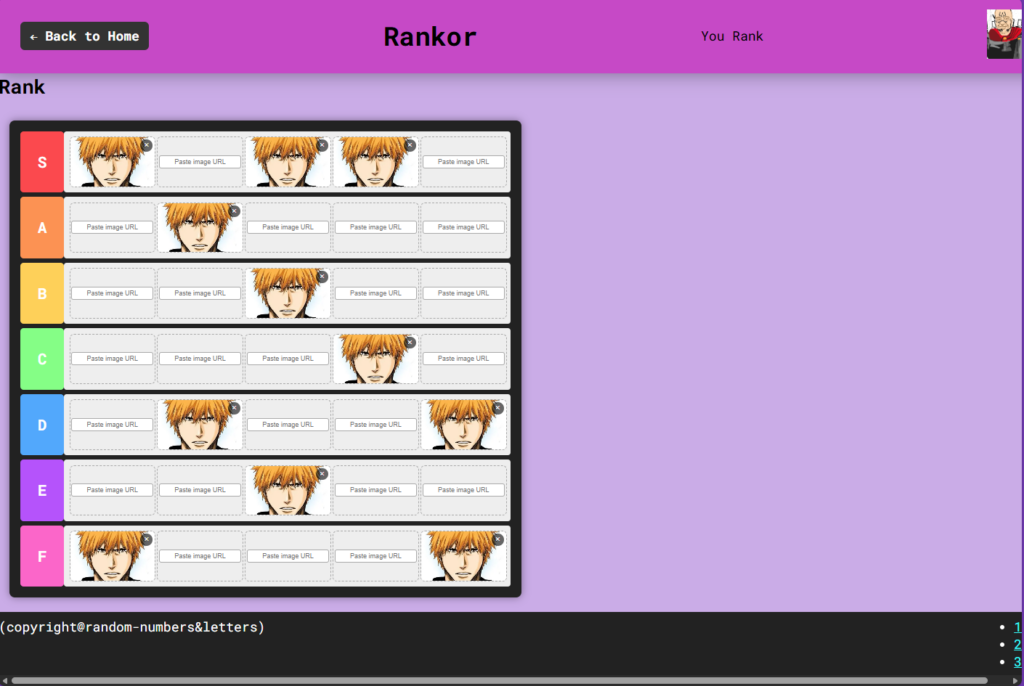
Above is page1, or… the area people rank in. as you see, there is a “Back to Home” button that actually works and takes you to index.html. And you can paste the URL of images anywhere on the tier list thing. you can also press the little X mark to remove and replace.
the grid made me suffer and that’s where I needed Copilot. JavaScript was really needed to do everything, so I also needed copilot for it. but it looks simple.
document.querySelectorAll(".url-input").forEach(input => {
    input.addEventListener("change", () => {
        const url = input.value.trim();
        if (url === "") return;

        const box = input.parentElement;
        const img = document.createElement("img");
        img.src = url;

        img.onload = () => {
            box.innerHTML = ""; // remove input
            box.appendChild(img);

            // create remove button
            const removeBtn = document.createElement("button");
            removeBtn.className = "remove-btn";
            removeBtn.textContent = "×";
            box.appendChild(removeBtn);

            removeBtn.addEventListener("click", () => {
                box.innerHTML = ""; // clear image + button

                // restore input
                const newInput = document.createElement("input");
                newInput.type = "text";
                newInput.placeholder = "Paste image URL";
                newInput.className = "url-input";
                box.appendChild(newInput);

                // reattach the same behavior
                newInput.addEventListener("change", () => {
                    input.dispatchEvent(new Event("change"));
                });
            });
        };

        img.onerror = () => {
            alert("Invalid image URL");
        };
    });
});